![Logo.png]](https://knowledgebase.mycomply.net/hs-fs/hubfs/Logo.png?height=40&name=Logo.png)
To move a project from "Active" to "Archived", follow these steps:
1) Go to your project, then click on "Settings".
.png?width=384&height=731&name=Settings-06-23-2026_03_19_PM%20(1).png)
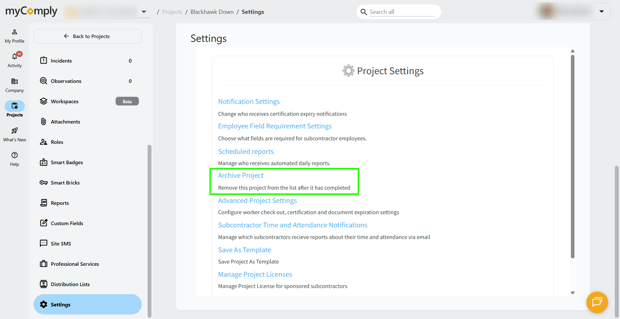
2) Scroll down, then click on "Archive Project".
3) A window will pop up confirming that you want to archive the project. Click "Archive".
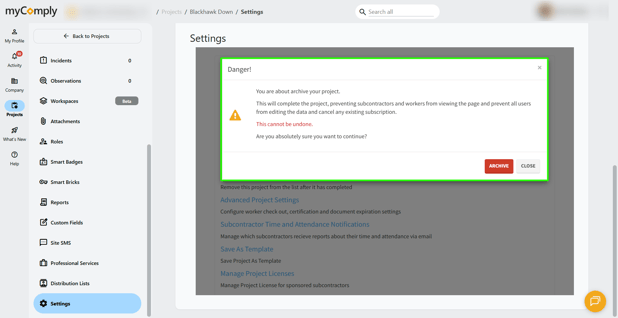
Note: Please ensure the project is absolutely complete and subcontractors will no longer need to access it before archiving. If a project was archived by mistake, please contact our support team at support@mycomply.net.