![Logo.png]](https://knowledgebase.mycomply.net/hs-fs/hubfs/Logo.png?height=40&name=Logo.png)
1) Select Company > Training Matrices on the left side of your screen.
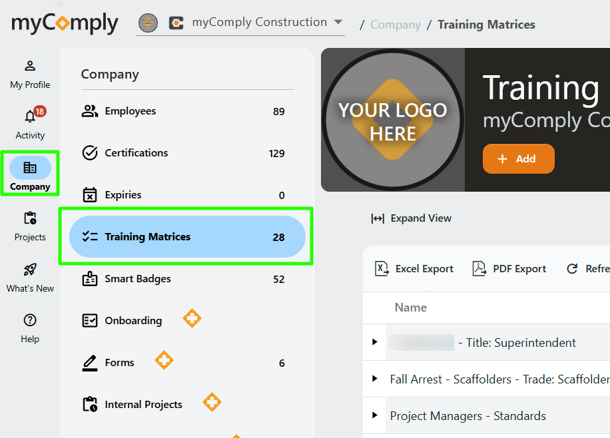
2) Click the orange "+Add" button.

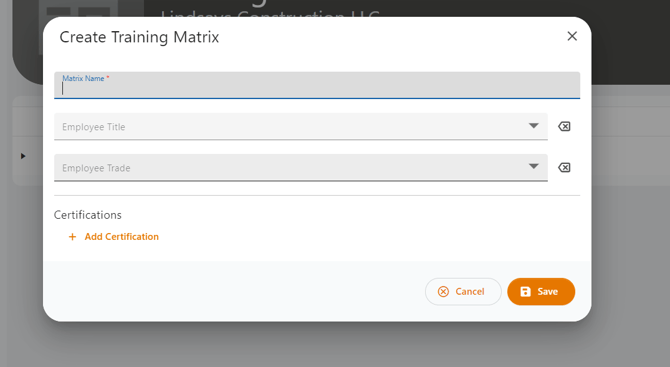
3) Create your Training Matrix by adding name, employee title, employee trade, and certification documents. When you click "Add Certification" it will provide a drop down of options. The certification options shown populate from the list you have added under Company > Certifications.
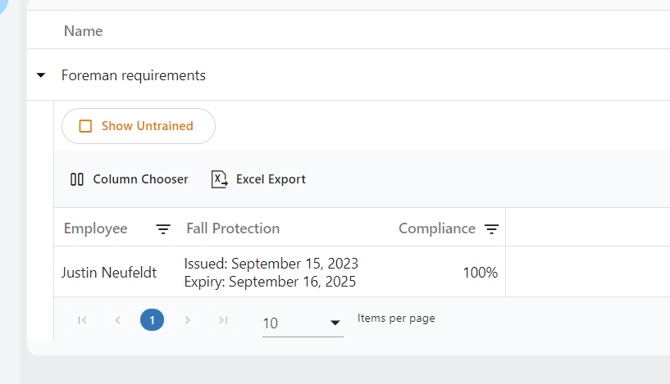
4) Once saved, you will be able to see a list of who is untrained by checking the box "Show Untrained". To export this list, select "Excel Export".
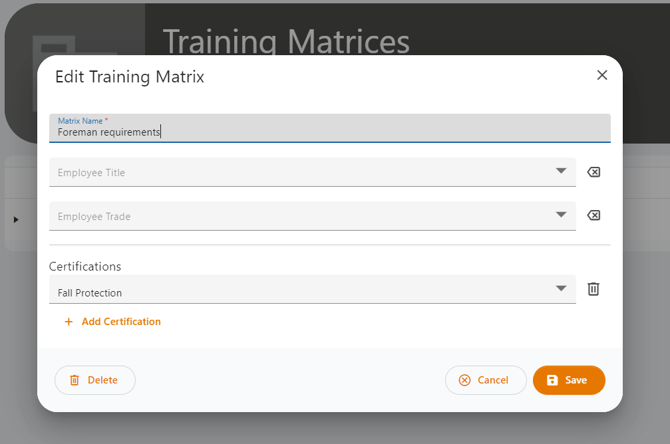
5) To edit your Training Matrix, click on the pencil icon under "Actions" on the right side of the screen. This will open an edit window where you can make changes or add certifications.

6) Once a specific Training Matrix has been expanded, you can choose which columns you want to view.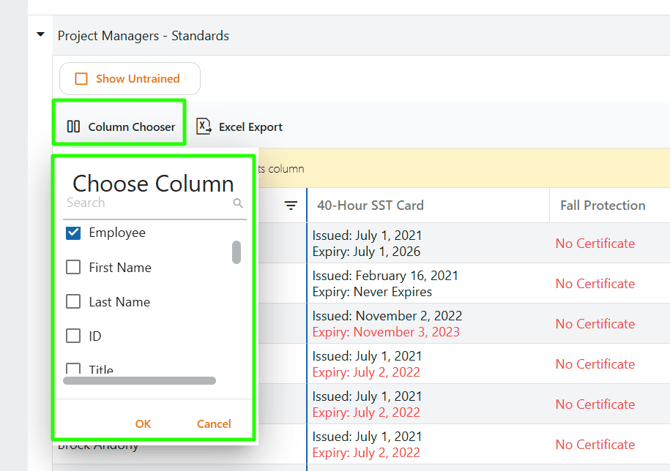
Still have questions? Please contact us at support@mycomply.net.