![Logo.png]](https://knowledgebase.mycomply.net/hs-fs/hubfs/Logo.png?height=40&name=Logo.png)
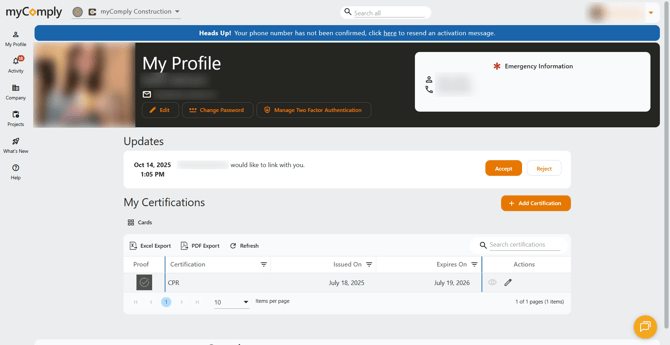
1) You will see this blue banner saying "Heads up! Your phone number has not been confirmed, click here to resend an activation message." Click the underlined "here" text. This will trigger a text message to go to your mobile phone number.
2) Once you receive the text message, click the link provided to confirm your number.
.jpg?width=261&height=566&name=Image%20(4).jpg)
.jpg?width=252&height=546&name=Image%20(5).jpg)
Note: Didn't receive a text message? Double check that the phone number on file for your profile is correct by going to My Profile, then Edit.