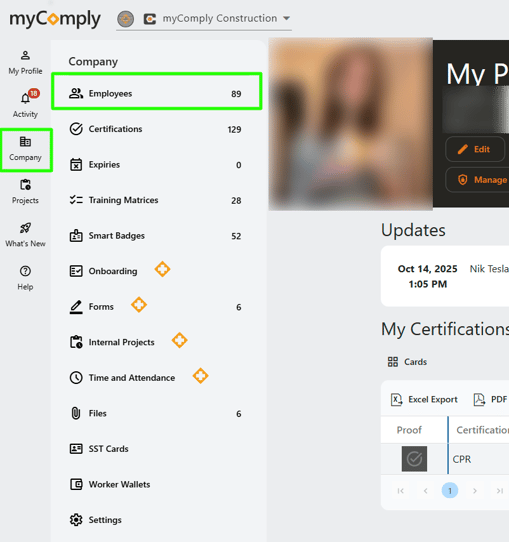
1) Select Company on the left side of your screen. Then select "Employees".
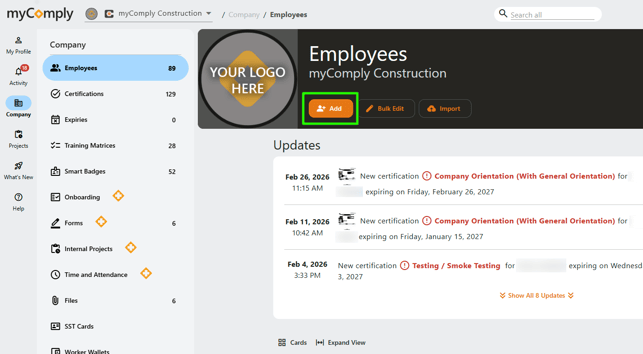
2) Select the orange "+Add" button to add a new employee.
3) Fill out the necessary fields. Once complete, click the orange "Save" button at the bottom.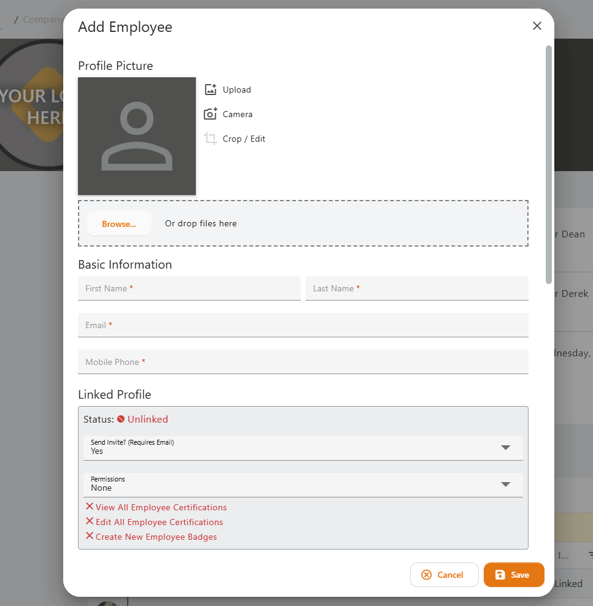
![Logo.png]](https://knowledgebase.mycomply.net/hs-fs/hubfs/Logo.png?height=40&name=Logo.png)
1) Select Company on the left side of your screen. Then select "Employees".
2) Select the orange "+Add" button to add a new employee.
3) Fill out the necessary fields. Once complete, click the orange "Save" button at the bottom.