![Logo.png]](https://knowledgebase.mycomply.net/hs-fs/hubfs/Logo.png?height=40&name=Logo.png)
Buddy Badging can be prevented by adjusting your Smart Brick settings to increase the time delay between check ins.
1) Navigate to "Projects", then click on a specific project.
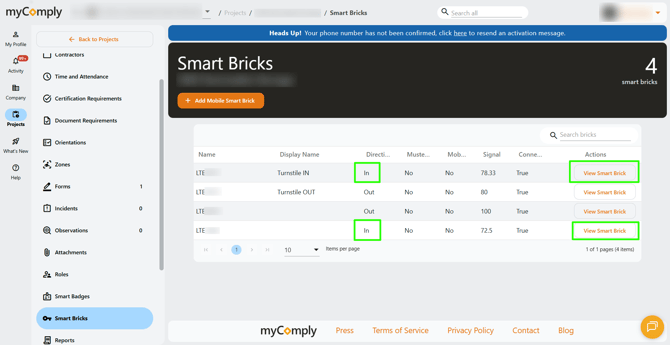
2) Click on the "Smart Bricks" tab.
3) For Smart Bricks with the direction "in", click "View Smart Brick".
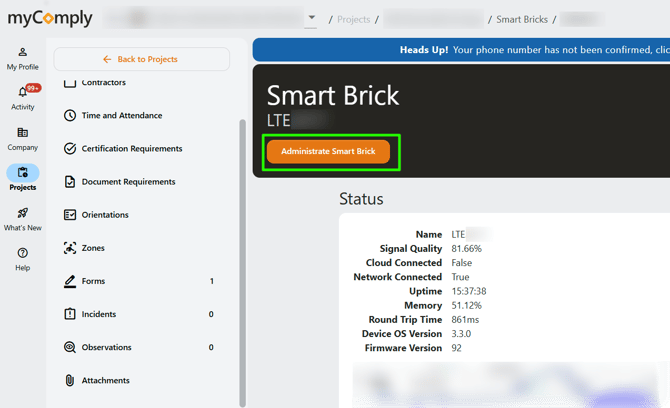
4) Click "Administrate Smart Brick".
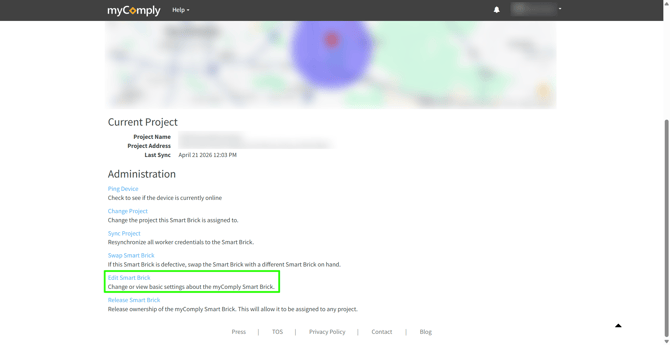
5) Once in the administration page for the Smart Brick, scroll down to click "Edit Smart Brick".
6) Add a "Check In Delay". Please note that this delay is in milliseconds. If you wanted a delay between each check in of 30 seconds, that would be 30,000 milliseconds. It is important to consider that if the delay is too long, it could create a bottleneck at the turnstile and delay workers from getting on site. It may take some trial and error to find the right delay for your site.
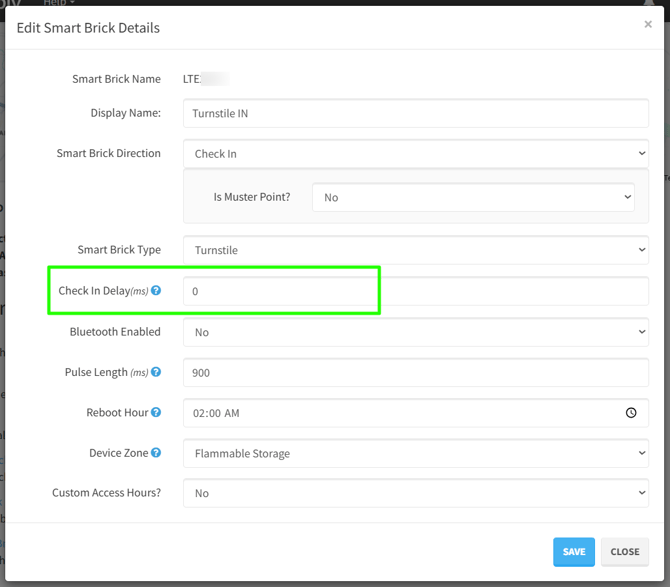
7) Click "Save" to finish.