![Logo.png]](https://knowledgebase.mycomply.net/hs-fs/hubfs/Logo.png?height=40&name=Logo.png)
To remove a worker from a project:
1) Go to the project in your myComply dashboard.
2) If the worker has not completed their project onboarding, you can select their name under Step 2 and click "Unassign worker".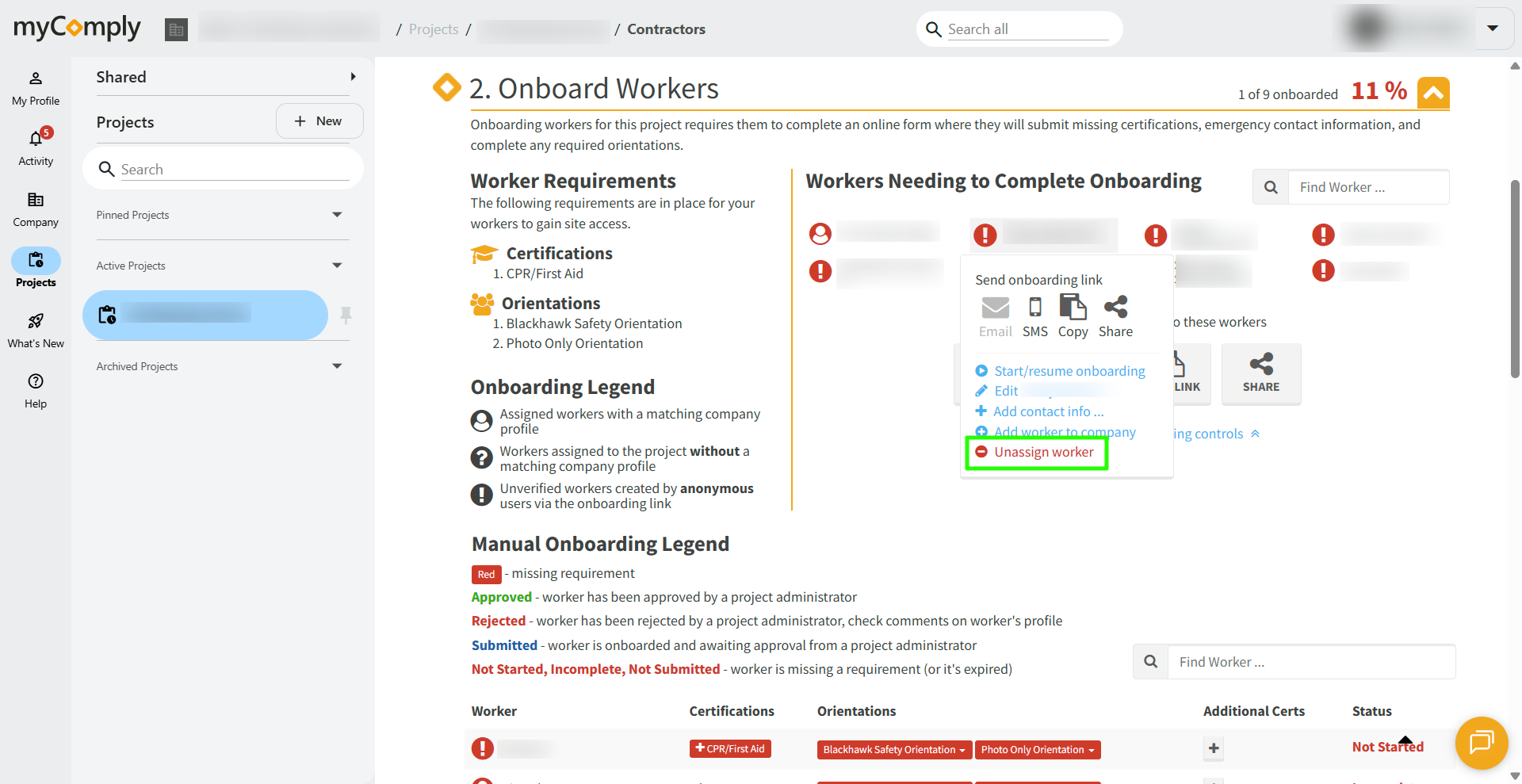
Otherwise, click on the name of the individual you would like to remove from the project in the list of workers .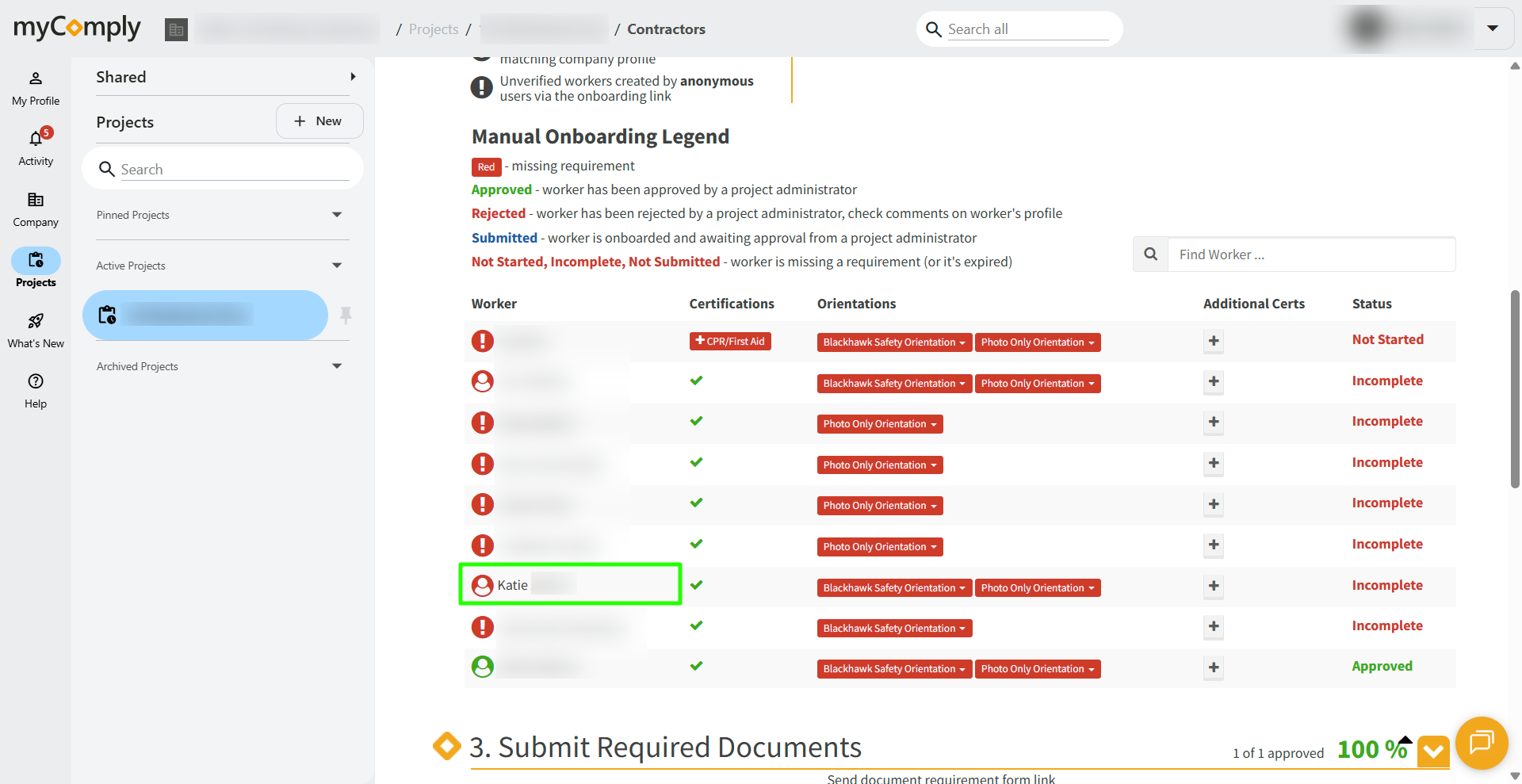
3) In the dropdown, click the "Edit" option.
4) Click "Edit Details".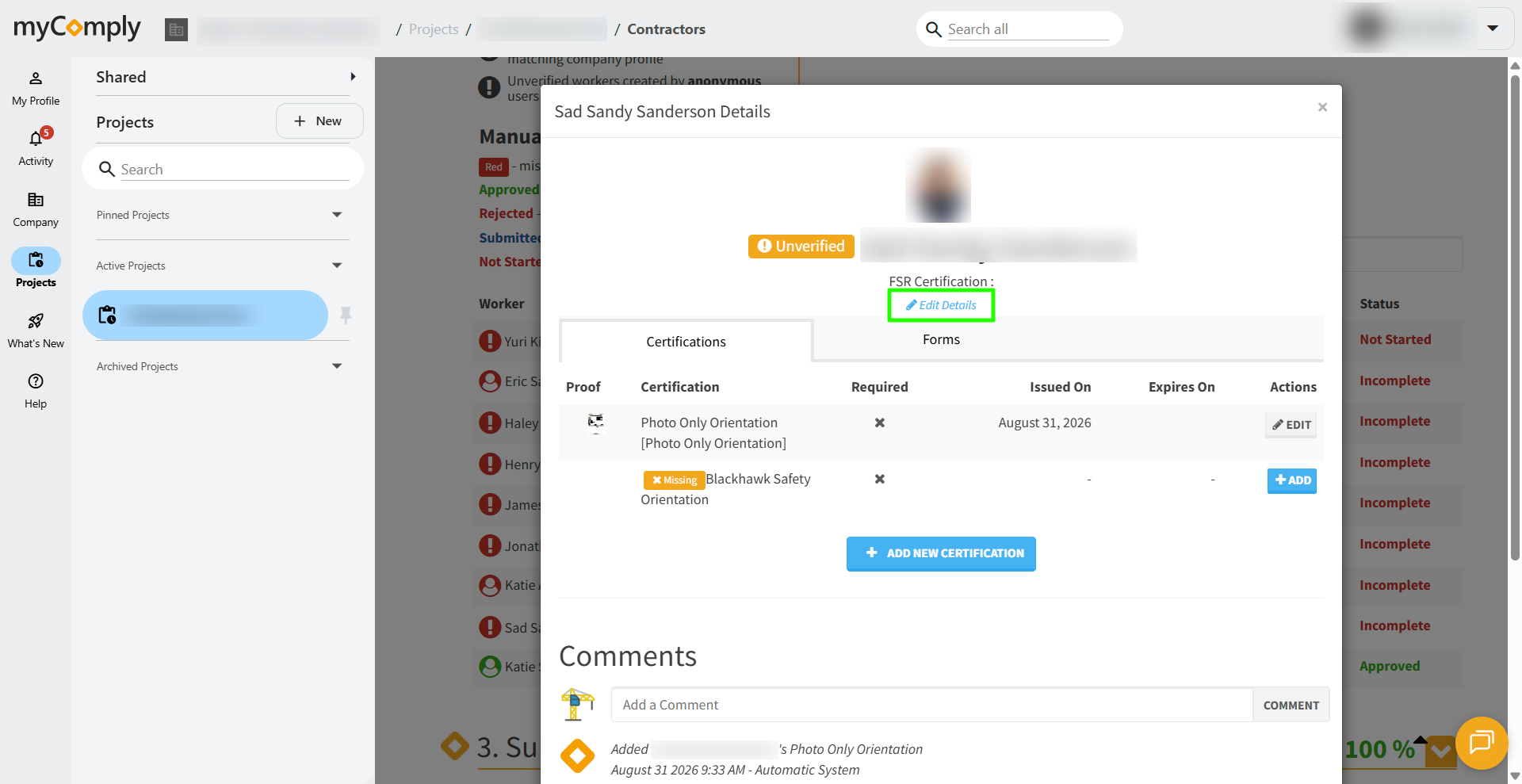
5) Scroll to the bottom of the window, click the red button "Set Inactive".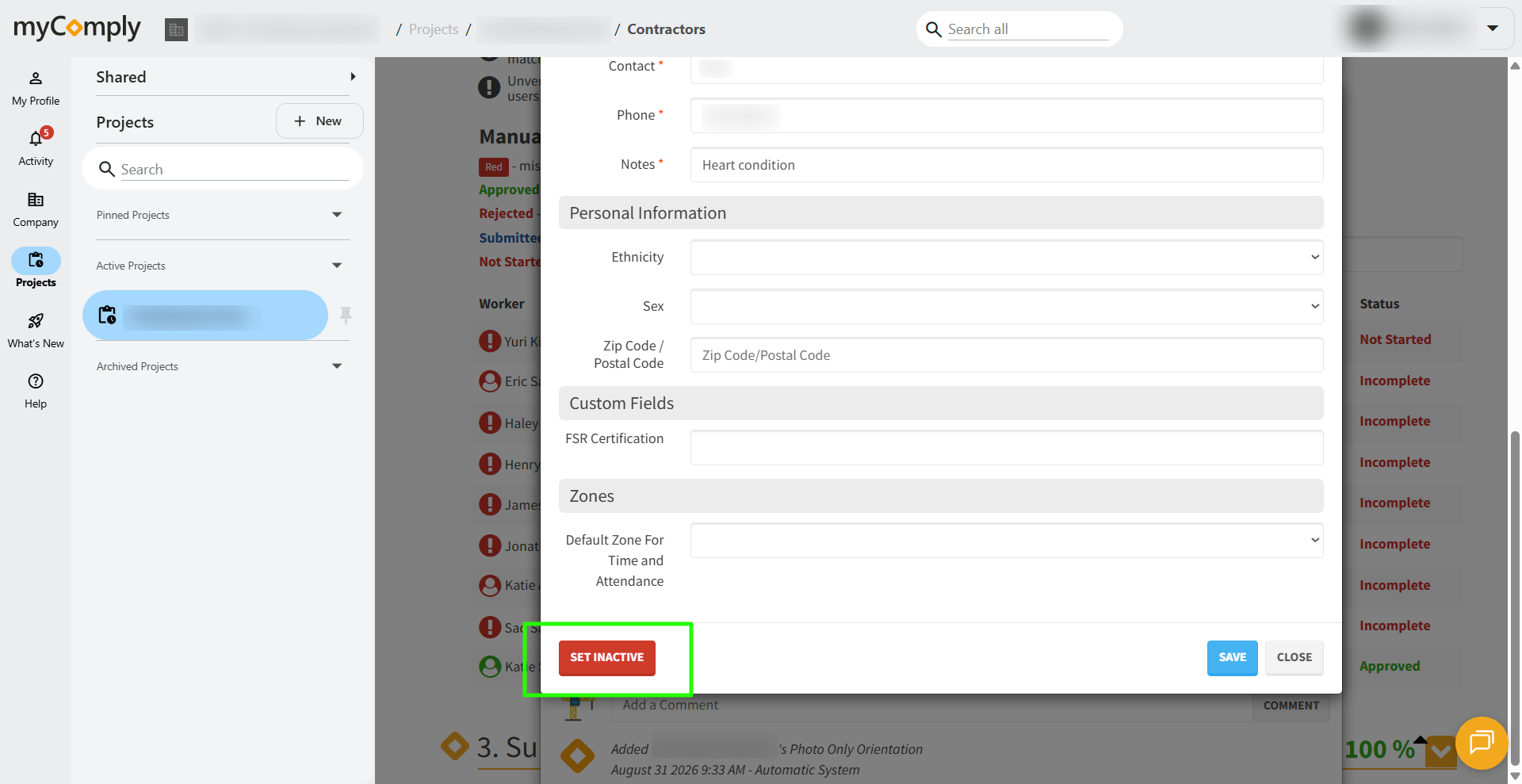
The worker will then be marked inactive for this specific project, but will still remain an employee of your company.