![Logo.png]](https://knowledgebase.mycomply.net/hs-fs/hubfs/Logo.png?height=40&name=Logo.png)
***Please note that Propack must be enabled on your account in order to proceed.***
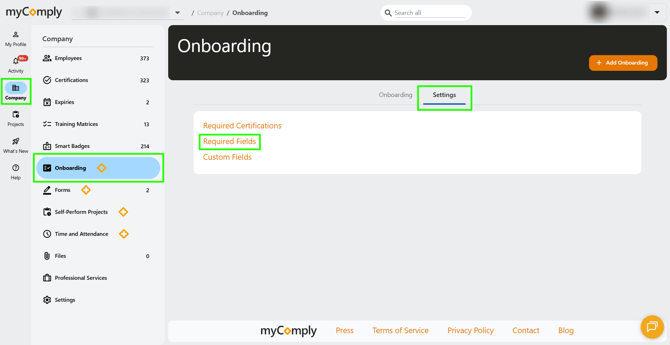
1) Click on "Company" in the left navigation, then "Onboarding". You will see a "Settings" tab along the top of the page. Then select "Required Fields".
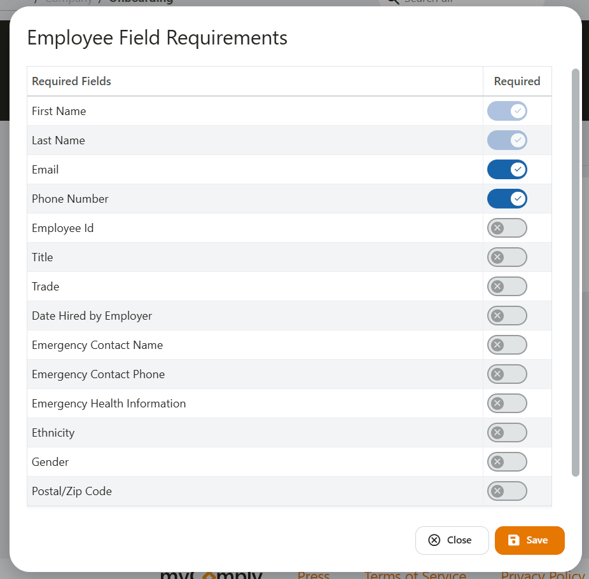
2) Toggle on any fields you would like to be required for your company's employees. Then, click save.
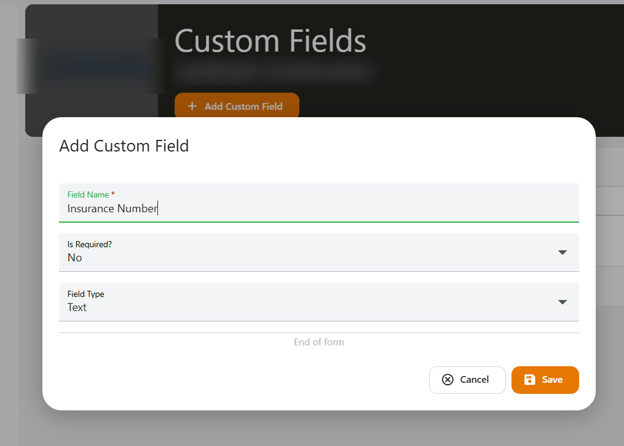
3) If you don't see a field that you would like to track, under Company > Onboarding > Settings, select "Custom Fields". You will be able to add additional fields as needed.
Note: Projects have their own set of required fields for workers. These settings only dictate required fields at the Company level (see instructions for the Project level here).