![Logo.png]](https://knowledgebase.mycomply.net/hs-fs/hubfs/Logo.png?height=40&name=Logo.png)
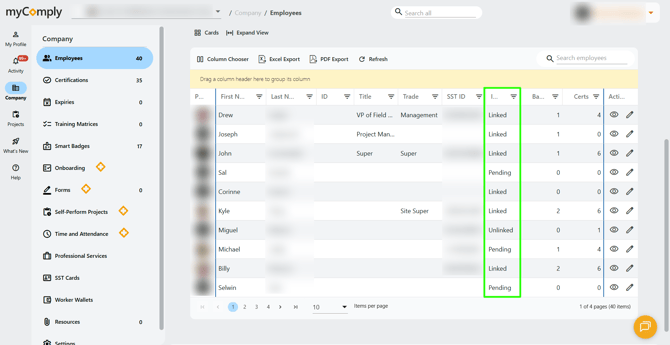
Unlinked - an employee has been added to your company, but no invite has been sent.
Pending - an employee has been added to your company, an invite has been sent, but they have not accepted that invite yet.
Linked - an employee has been added to your company, invited, and they accepted the invite.
An employee must have an email address to be invited to login to myComply. Not all employees will need login access (having an "unlinked" status does not mean their profile creation is incomplete). How much an employee has access to in your dashboard is still determined by their permissions.
Ex. A supervisor at a General Contractor is invited to myComply. They receive an invite email with a link to set their password and login for the first time. By logging in, they accept their invite. Their invite status is now "linked".
Ex. A worker is added to a company in myComply. Their name and phone number are added to their profile, but no email address. No invite is sent as they will not be required to work out of the myComply dashboard. Their status is "unlinked".