1) Add a new employee, or, click to edit an existing employee under Company > Employees.
2) Click the "Permissions" dropdown, then select "Administrator".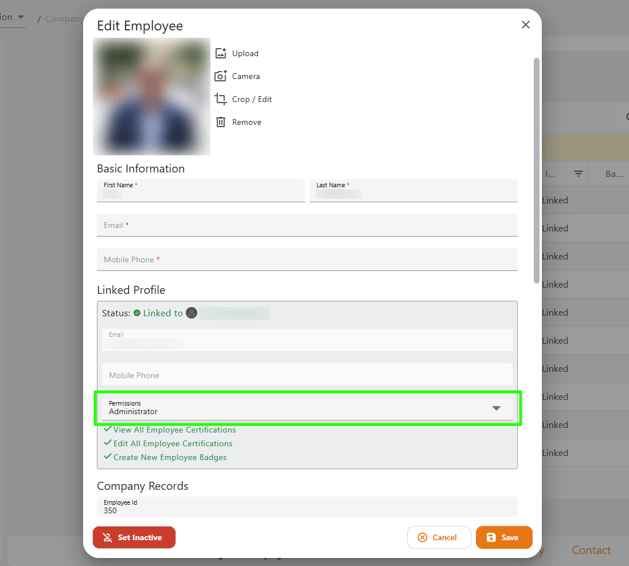
Please note that administrators require an email address in order to receive their invite and login to the myComply dashboard.
English
![Logo.png]](https://knowledgebase.mycomply.net/hs-fs/hubfs/Logo.png?height=40&name=Logo.png)